
Starts free onboarding.
Your application navigator. Not another job board.
Find the role that fits. Then do not drown in tabs, inboxes, and spreadsheets. No employer sees you until you want them to.
See the roles that actually fit you.
In the noise of open roles you see what matches your skills — not what is loud in the listing. Every results list shows how strongly the role fits. You decide on fit, not on volume.
Upload your CV or tell Navista what you can do and what you are looking for. Open job search. Matches are already sorted by fit — you do not wade through 200 listings by hand.
You do not have to stay in our search. A role you found on the web, you add with title and description. Then it sits in the same list — ready for fit and gaps. Filter by place, type, and remote. Save what stays. Optional notices when new matches appear. Quotas and plans live on the pricing page — here the point is the role that fits.
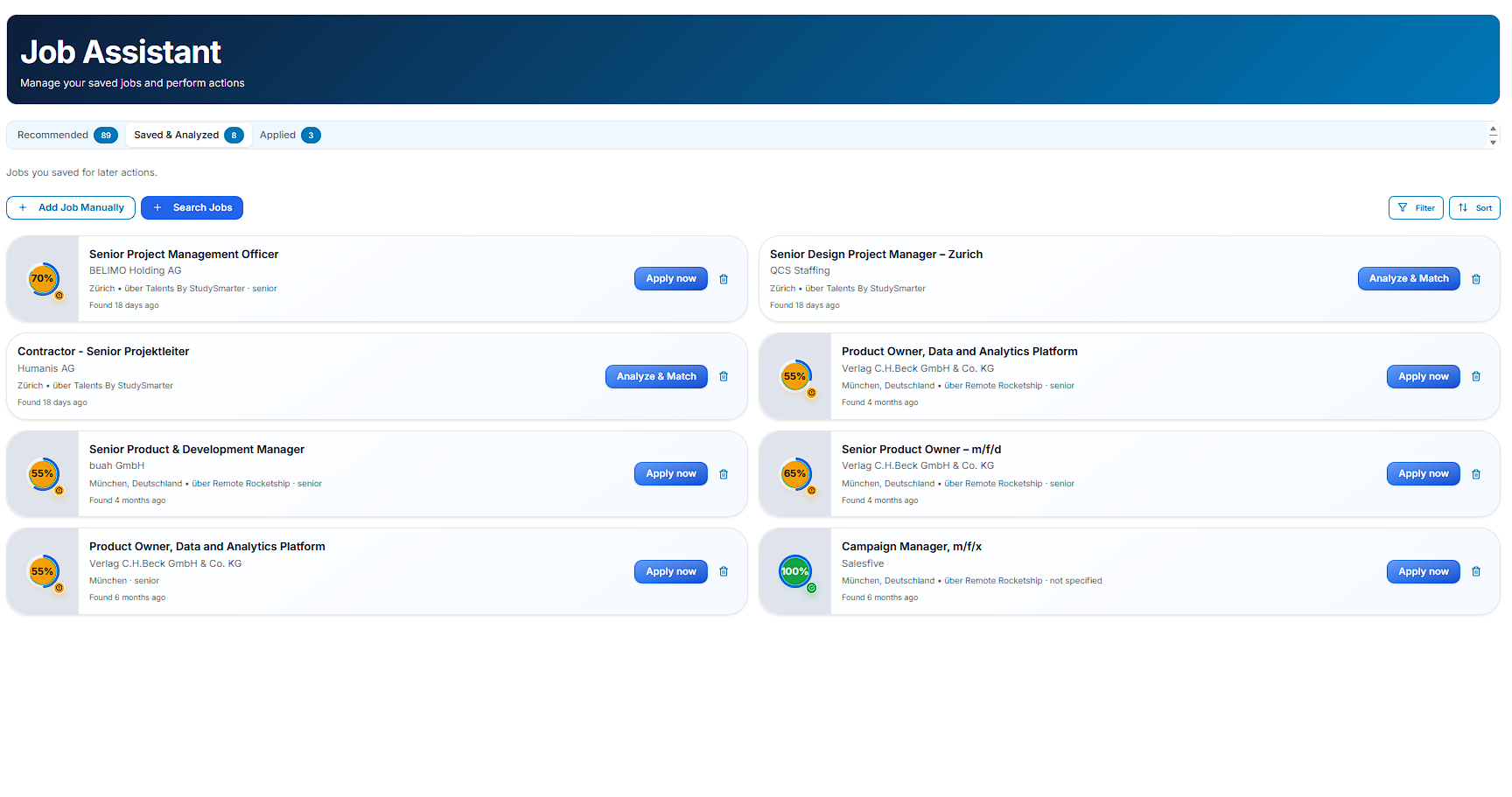
- Place
- Type
- Remote
- Date
- Save
- Match score
- Your job
See which job fits your skills — and where the gaps are.
You compare what you can do with what the role asks for. The score shows how close you are. The gaps are in plain language. That holds for the next application — and for a career change: skills count more than the title you had.
Upload your CV. Open a role from the results list, including one you had not considered — or one you added yourself with title and description. The score is already there — from your profile and this description, not from an invented biography.
Hard skills, soft skills, tools, languages, experience. You see what a career change still needs before you spend time. Then you decide whether the effort is worth it.
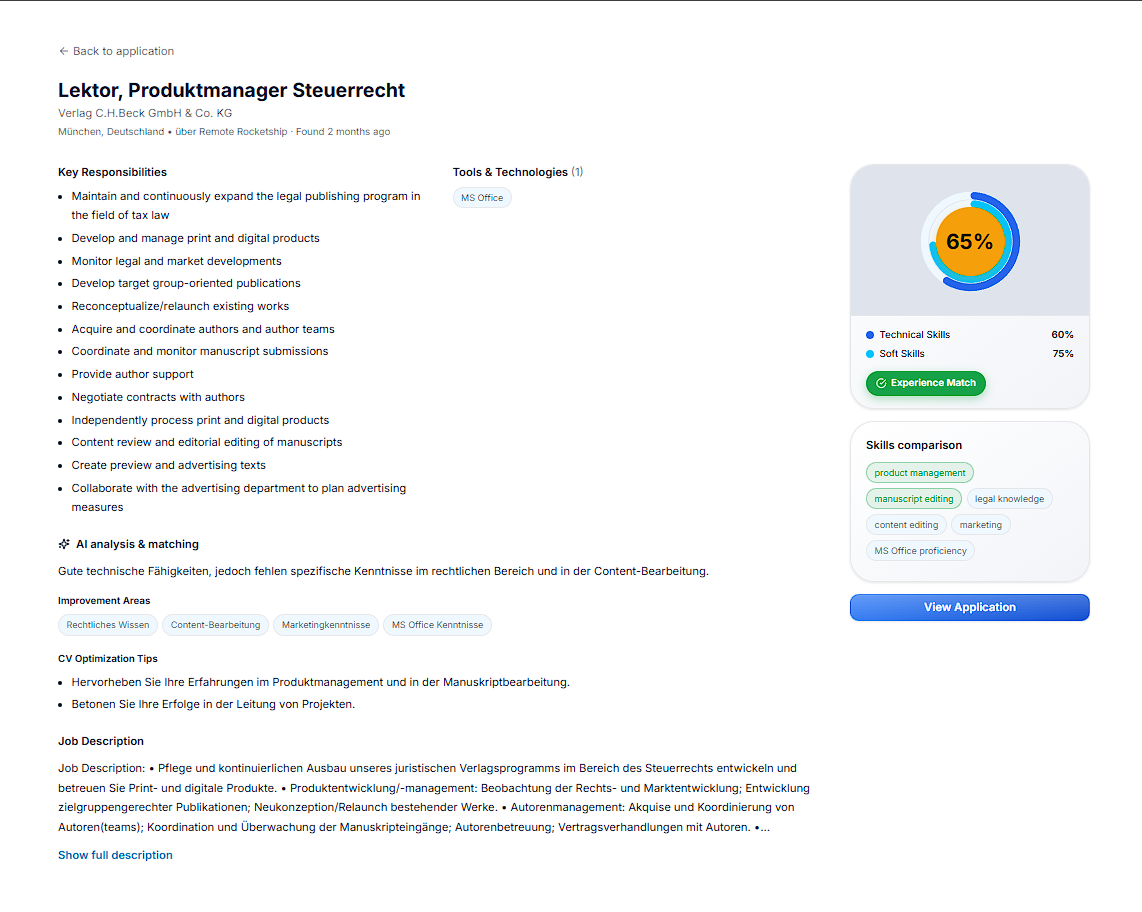
- Hard skills
- Soft skills
- Tools
- Languages
- Experience
Create documents for this role, not for every role.
From your profile and this role comes a CV — and a cover letter when you need one. You do not spend hours on layout. You apply for this role, not with one version for every listing.
Pick the role, start the CV, see the preview. You can edit and export as PDF.
Navista does not invent stations in your history. The cover letter stays here, not on a fifth page. You decide what goes out.
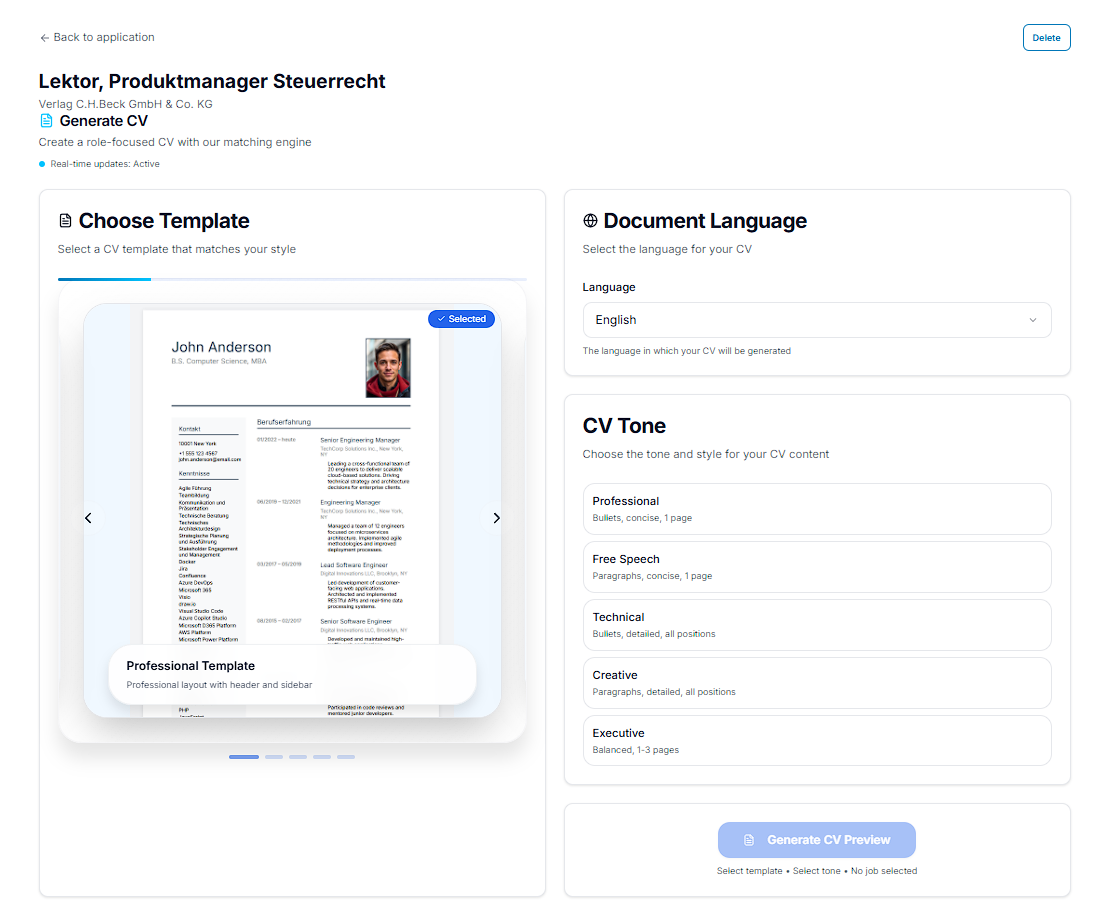
- Templates
- Preview
- Edit
- Cover letter
Keep every application in view — without a spreadsheet.
Status, documents, and the next step live in one place. Parallel applications stay sorted. Nothing disappears into tabs, inboxes, or spreadsheets.
When a match becomes an application, you land in the overview. You set the status, attach the documents, and write down the next action.
Notes and contacts stay on the application. No public profile. No recruiter feed. No employer sees you until you want them to.
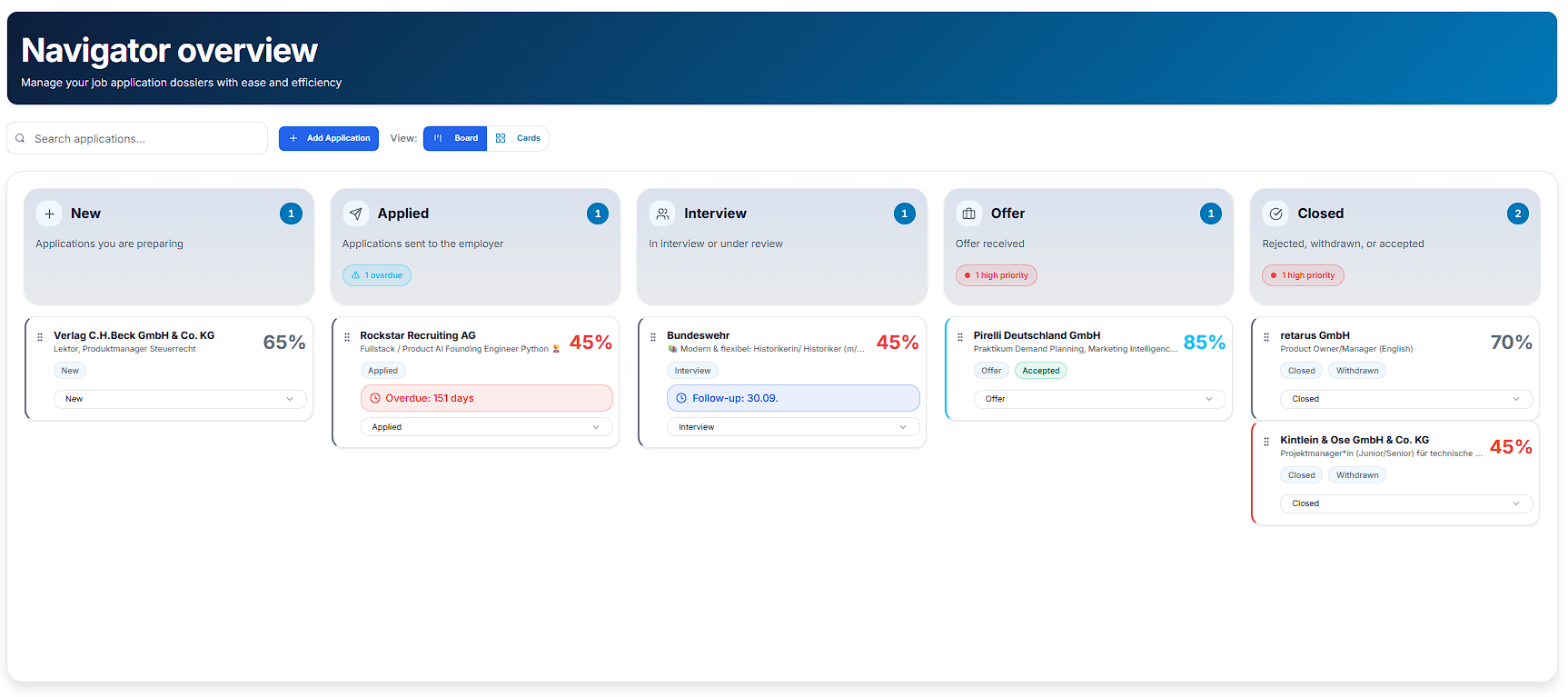
- Status
- Documents
- Notes
- Contacts